Page types in ePLAN
Page types help to structure a project and accelerate the reporting processes. The page type is assigned when a page is created, but can be subsequently changed. When a page type is changed, all other page properties remain unchanged, the page is just analyzed and reported differently.
Page types can be divided into 2 types logic pages or graphical pages.
Logic pages – On logic pages the device data is analyzed and reported, and auto-connecting lines are automatically generated. (Exception: Auto-connecting does not occur on pages of the type "Panel layout", "Overview" and "Pre-planning".)
Graphical pages – Graphical pages are only used for displaying data or for drawing graphics (but not schematics).
Every page type is used for a specific application and for specific drawings. You can see in the table below for which drawings a certain page type is used for.
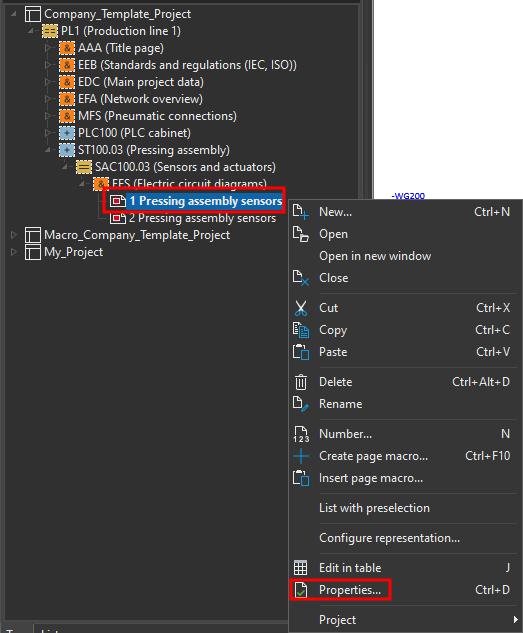
To change the page type in ePLAN right click on the page and then click on Properties.
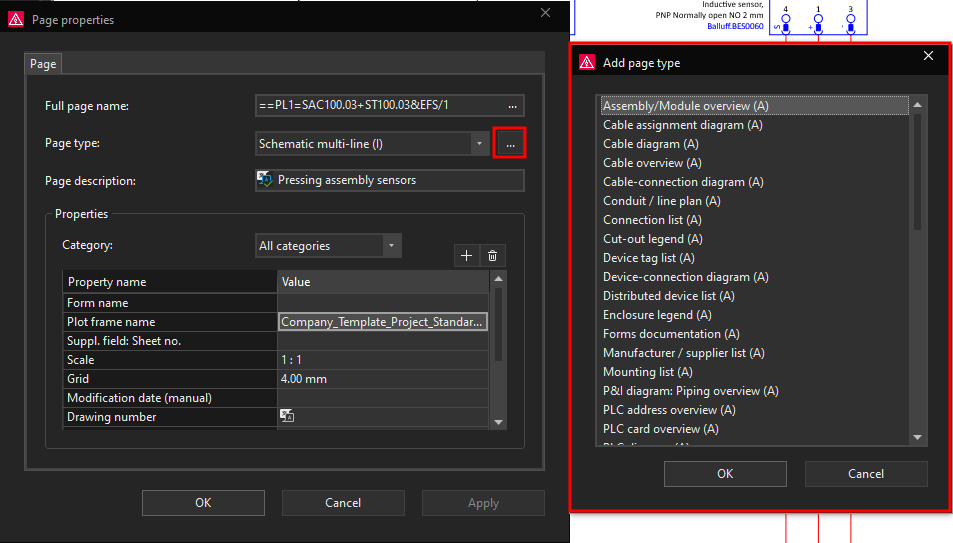
Now click on the small arrow in the page type row. Now the page type selection drop down menu will appear, here you can select the page type that you want to use.
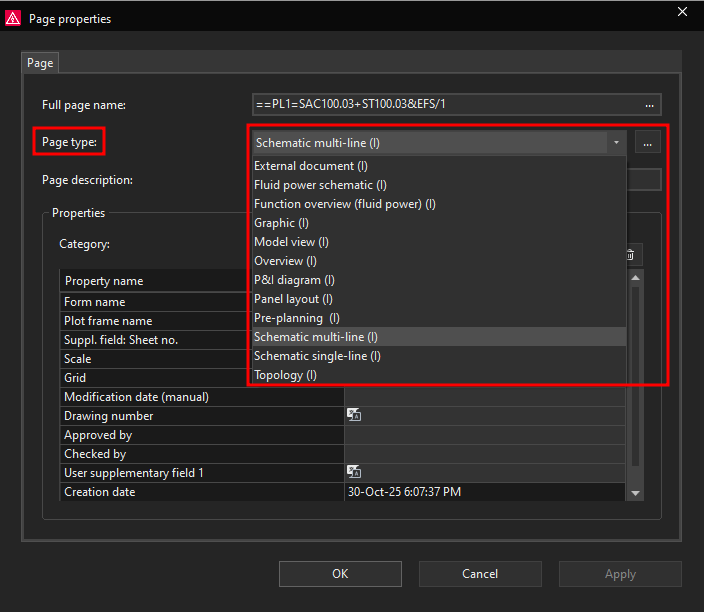
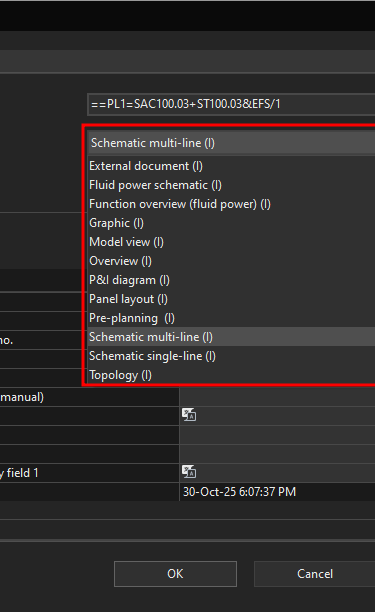
You can also get the expanded selection list for selecting page types by clicking on the three dots in the page type row.